适用于 ADK 的 TypeScript 快速入门指南
本指南将向您展示如何开始使用 TypeScript 的 Agent Development Kit。在开始之前,请确保您已经安装了以下所需软件:
- Node.js 24.13.0 或更高版本
- Node Package Manager (npm) 11.8.0 或更高版本
创建一个代理项目(Agent Project)。
创建一个空的……(请根据上下文填写具体的内容)。 my-agent 您的项目目录:
配置项目及其依赖项。
使用 npm 这是一个用于安装和配置项目所需依赖项的工具,包括相应的包文件、ADK(Adobe Development Kit)、TypeScript 主库以及开发工具。请从您的终端或命令行中运行以下命令:
my-agent/ 用于创建目录的路径。 package.json 下载并安装项目的依赖项:
cd my-agent/
# initialize a project as an ES module
npm init --yes
npm pkg set type="module"
npm pkg set main="agent.ts"
# install ADK libraries
npm install @google/adk
# install dev tools as a dev dependency
npm install -D @google/adk-devtools
定义代理代码(Agent Code)。
编写一个基本代理的代码,其中包括对 ADK(Audio Development Kit)的简单实现。
Function Tool被称为…… get_current_time创建一个…… agent.ts 将文件放入您的项目目录中,然后添加以下代码:
import {FunctionTool, LlmAgent} from '@google/adk';
import {z} from 'zod';

/* Mock tool implementation */
const getCurrentTime = new FunctionTool({
  name: 'get_current_time',
  description: 'Returns the current time in a specified city.',
  parameters: z.object({
    city: z.string().describe("The name of the city for which to retrieve the current time."),
  }),
  execute: ({city}) => {
    return {status: 'success', report: `The current time in ${city} is 10:30 AM`};
  },
});

export const rootAgent = new LlmAgent({
  name: 'hello_time_agent',
  model: 'gemini-flash-latest',
  description: 'Tells the current time in a specified city.',
  instruction: `You are a helpful assistant that tells the current time in a city.
                Use the 'get_current_time' tool for this purpose.`,
  tools: [getCurrentTime],
});
请设置您的 API 密钥。
该项目使用了 Gemini API,因此需要一个 API 密钥。如果您还没有 Gemini API 密钥,请在 Google AI Studio 中创建一个密钥。 API 密钥 page.
在终端窗口中,输入您的 API 密钥。 .env 您的项目文件
用于设置环境变量:
将其他 AI 模型与 ADK 结合使用
ADK 支持使用许多生成式 AI 模型。有关在 ADK 代理中配置其他模型的更多信息,请参阅…… 模型与身份验证(Models & Authentication).
运行你的代理程序。
您可以运行您的 ADK 代理程序。 @google/adk-devtools 该库提供了一个交互式的命令行界面(CLI),允许用户通过命令行来执行各种操作。 run 可以使用命令或 ADK Web 用户界面来进行操作。 web 这两个选项都允许你测试并与你的代理程序进行交互。
通过命令行界面运行
使用 ADK TypeScript 命令行接口工具运行您的代理程序,请执行以下命令:

通过 Web 界面运行该程序。
使用以下命令,通过 ADK Web 界面运行您的代理程序:
此命令会启动一个带有聊天界面的 Web 服务器,供您的代理使用。您可以通过以下地址访问该 Web 界面: http://localhost:8000在右上角选择您的代理,然后输入请求内容。
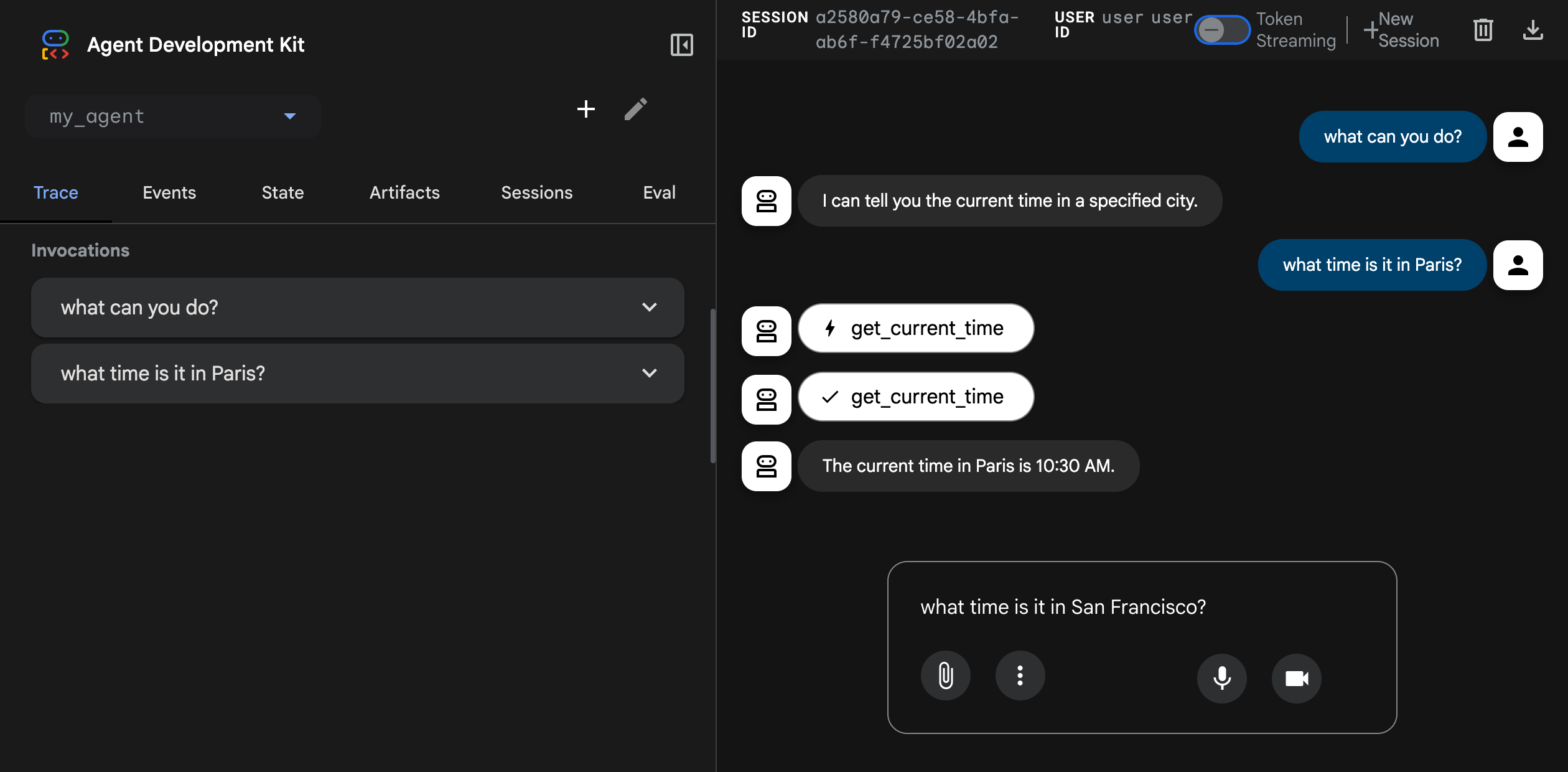
注意:ADK Web 仅适用于开发用途。
ADK Web 是 不适用于生产环境中的部署。您应该仅将 ADK Web 用于开发和调试目的。
下一步:构建你的代理程序(agent)。
既然您已经安装了 ADK 并让您的第一个代理程序成功运行了,现在可以尝试根据我们的构建指南来创建自己的代理程序了。