Zespan为ADK提供的可观测性(Observability)功能
Zespan 这是一个用于 AI 应用的代理可靠性平台。Zespan SDK 通过捕获每个代理的调用、模型调用、工具执行以及多代理之间的协作过程(这些过程都被视为“链接跨度”),从而对 ADK 代理进行原生监控;随后,这些监控数据会被传输到相应的系统或服务器中进行分析。 Zespan 仪表板 用于检查、成本分配以及评估。
概述
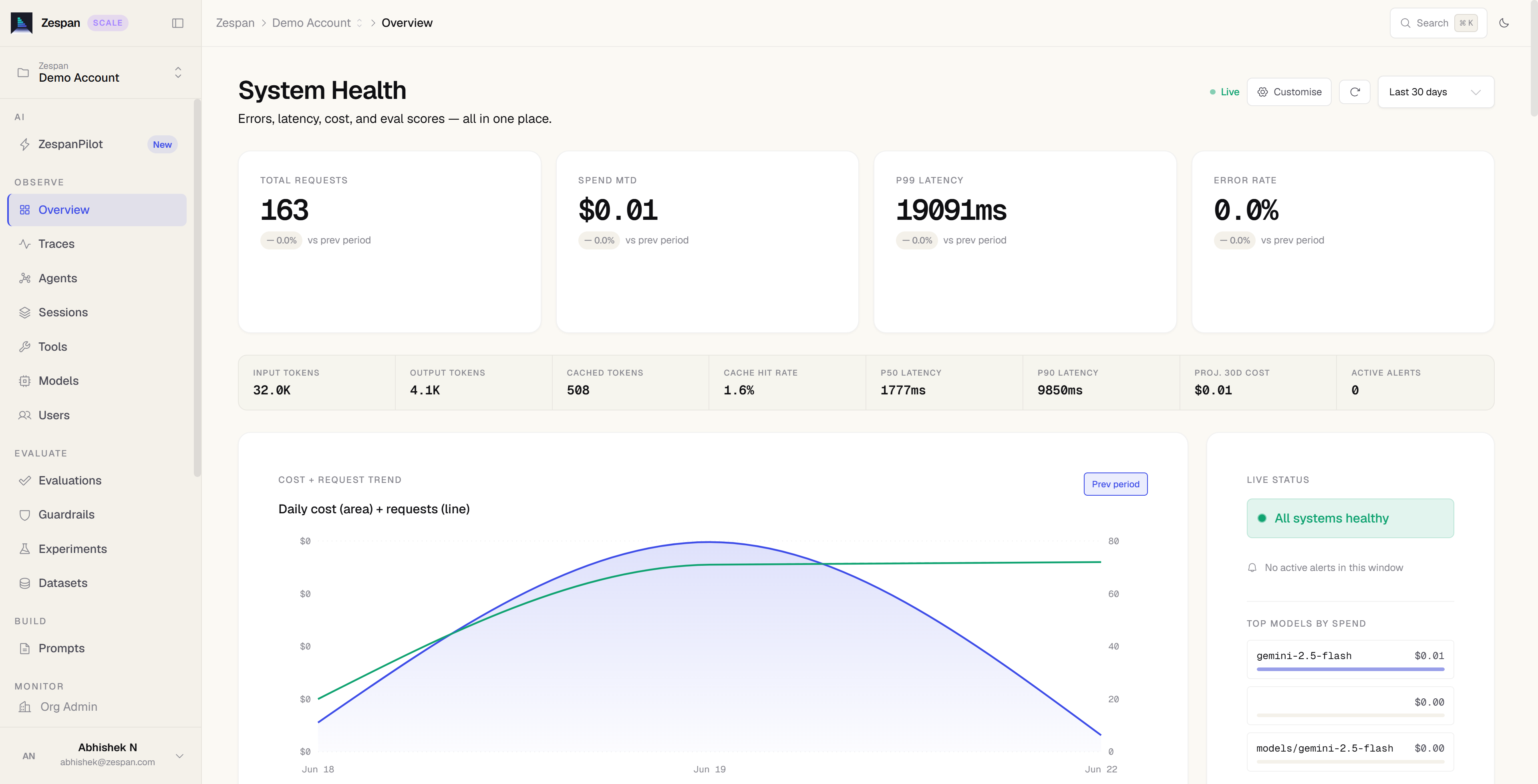
一旦您的 ADK 代理被配置为能够收集数据(即被“instrumented”),Zespan 平台就会提供以下功能:
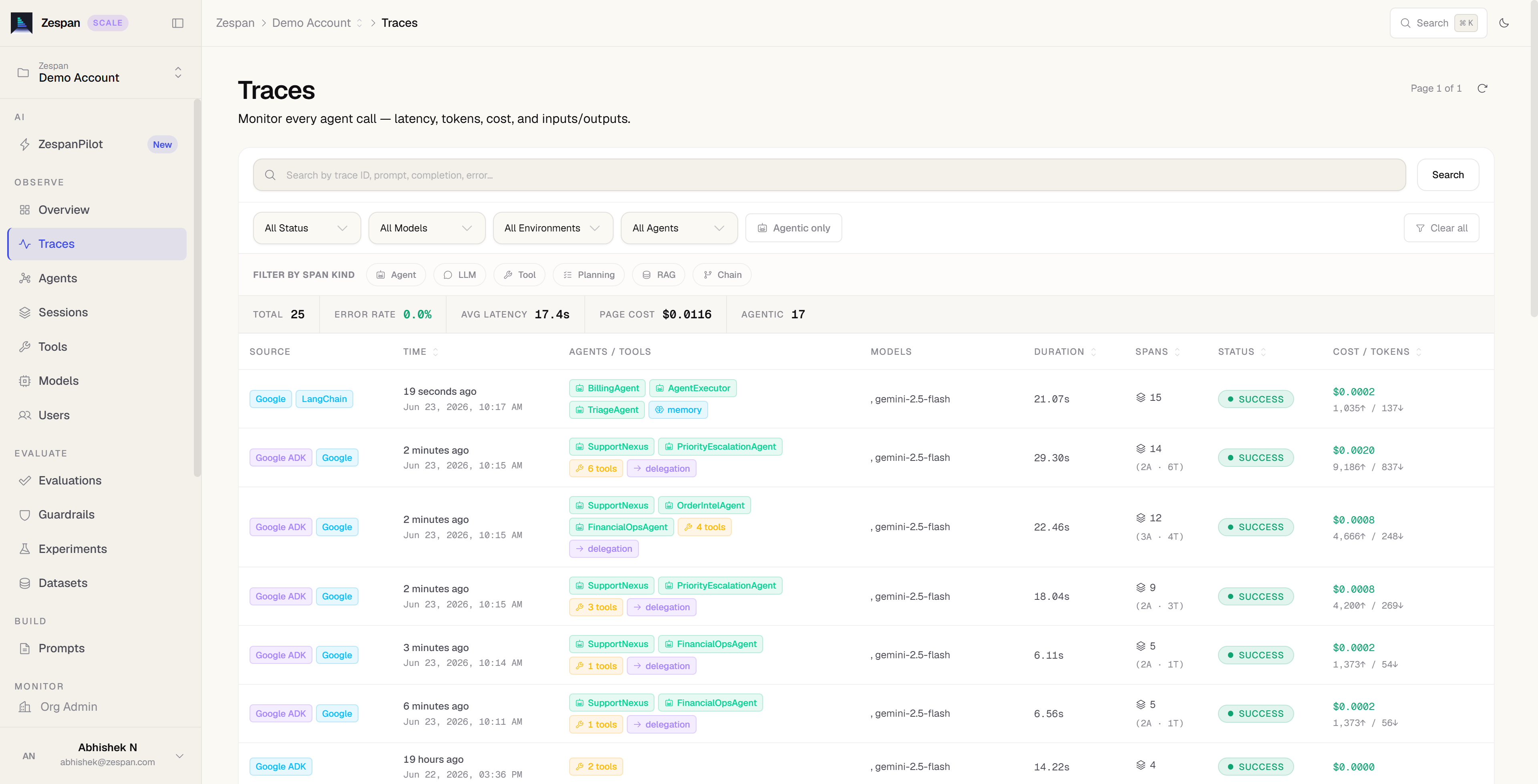
- Tracing: 记录每个代理(agent)、模型(model)、工具(tool)以及它们的使用情况(包括使用时间、产生的令牌数(tokens)和所需成本(cost);同时还会显示这些操作的延迟(latency)信息。
- 成本归属(Cost Attribution): 按车型、销售人员和时间段详细划分支出情况。
- 评估结果: 使用自定义指标、数据集以及模拟方法来评估代理(agent)的行为。
- “护栏”(Guardrails): 在运行时阻止、修改或标记不安全的输入和输出内容。
- 提示信息管理: 获取数据并显示版本信息;同时支持缓存功能以及变量替换功能。
先决条件
在开始之前,请先注册一个 Zespan 账户并设置相应的登录凭据:
- 在 [此处填写网站地址] 注册账号。 app.zespan.com.
- 创建一个项目,然后复制相关内容。 API 密钥 from 入职流程 → API 密钥.
- 设置环境变量:
安装
将 Zespan SDK 与 ADK 一起安装:
发送跟踪数据(traces)
使用 Zespan SDK 为 ADK 代理添加相应的功能(即“instrument”该代理),以开始捕获跟踪数据(traces)。
在系统启动时初始化 Zespan 一次,之后再创建一个……(此处“……”表示后续需要完成的具体操作或内容)。 ZespanADKCallbackHandler
并传播它的…… .callbacks “into your” 是一个英语短语,通常用于表示某物被放入或转移到某个地方或某人的手中。例如:“Please put the book into your bag.”(请把书放进你的包里。)这个短语也可以用于抽象的概念,比如:“The idea has already been implemented into the new system.”(这个想法已经被应用到了新系统中。)具体含义需要根据上下文来判断。 LlmAgent.
import asyncio
import os

import zespan
from zespan import ZespanADKCallbackHandler
from google.adk.agents import LlmAgent
from google.adk.runners import InMemoryRunner
from google.genai import types

zespan.init(api_key=os.environ["ZESPAN_API_KEY"])

handler = ZespanADKCallbackHandler()


def get_weather(city: str) -> dict:
    """Retrieves the current weather report for a specified city."""
    if city.lower() == "new york":
        return {
            "status": "success",
            "report": "The weather in New York is sunny with a temperature of 25°C.",
        }
    return {
        "status": "error",
        "error_message": f"Weather information for '{city}' is not available.",
    }


agent = LlmAgent(
    name="weather_agent",
    model="gemini-flash-latest",
    description="Agent to answer weather questions.",
    instruction="Use the available tools to find an answer.",
    tools=[get_weather],
    **handler.callbacks,
)


async def main():
    runner = InMemoryRunner(agent=agent, app_name="weather_app")
    await runner.session_service.create_session(
        app_name="weather_app", user_id="user", session_id="session"
    )
    async for event in runner.run_async(
        user_id="user",
        session_id="session",
        new_message=types.Content(
            role="user",
            parts=[types.Part(text="What is the weather in New York?")],
        ),
    ):
        if event.is_final_response():
            print(event.content.parts[0].text.strip())


if __name__ == "__main__":
    asyncio.run(main())
有两种方法可供选择。
instrumentADK 该功能通过一次调用同时处理协调器( coordinator)和运行器( runner)的逻辑,并拦截整个事件流(包括所有相关的委托操作)。
import { zespan, instrumentADK } from "@zespan/sdk";
import { LlmAgent, InMemoryRunner } from "@google/adk";

zespan.init({ apiKey: process.env.ZESPAN_API_KEY! });

function getWeather(city: string): object {
  if (city.toLowerCase() === "new york") {
    return {
      status: "success",
      report: "The weather in New York is sunny with a temperature of 25°C.",
    };
  }
  return {
    status: "error",
    error_message: `Weather information for '${city}' is not available.`,
  };
}

const coordinator = new LlmAgent({
  name: "weather_agent",
  model: "gemini-flash-latest",
  description: "Agent to answer weather questions.",
  instruction: "Use the available tools to find an answer.",
  tools: [getWeather],
});

const runner = new InMemoryRunner({
  agent: coordinator,
  appName: "weather_app",
});

const { runner: tracedRunner } = instrumentADK({ coordinator, runner });

for await (const event of tracedRunner.runEphemeral({
  userId: "user",
  newMessage: { parts: [{ text: "What is the weather in New York?" }] },
})) {
  if (event.isFinalResponse()) {
    console.log(event.content.parts[0].text);
  }
}
ZespanADKCallbackHandler 使用 ADK 的原生回调系统;进行数据传播(或:实现数据共享)。
.callbacks 将其添加到您的代理配置文件中。
import { zespan, ZespanADKCallbackHandler } from "@zespan/sdk";
import { LlmAgent, InMemoryRunner } from "@google/adk";

zespan.init({ apiKey: process.env.ZESPAN_API_KEY! });

const handler = new ZespanADKCallbackHandler();

const agent = new LlmAgent({
  name: "weather_agent",
  model: "gemini-flash-latest",
  description: "Agent to answer weather questions.",
  instruction: "Use the available tools to find an answer.",
  tools: [getWeather],
  ...handler.callbacks,
});

const runner = new InMemoryRunner({ agent, appName: "weather_app" });

for await (const event of runner.runEphemeral({
  userId: "user",
  newMessage: { parts: [{ text: "What is the weather in New York?" }] },
})) {
  if (event.isFinalResponse()) {
    console.log(event.content.parts[0].text);
  }
}
多智能体系统(Multi-agent systems)
Zespan 的链接协调器(link coordinator)和子代理(sub-agent)会被合并成一个单独的跟踪记录(trace)。
使用 同一个处理程序实例 信息需要传递给协调者(coordinator)以及所有的子代理(sub-agents)。 这些信息片段通过共享的 ADK 调用 ID 被链接在一起,形成一个完整的追踪记录(trace)。
使用(某种工具、方法等);凭借 instrumentADK,全部 subAgents 这些内容会被递归地、自动地包装起来。
const specialist = new LlmAgent({
  name: "lookup_agent",
  model: "gemini-flash-latest",
  tools: [lookupTool],
});

const coordinator = new LlmAgent({
  name: "coordinator",
  model: "gemini-flash-latest",
  subAgents: [specialist],
});

const { runner: tracedRunner } = instrumentADK({
  coordinator,
  runner: new InMemoryRunner({ agent: coordinator, appName: "my_app" }),
});
使用(某种工具、方法等);凭借 ZespanADKCallbackHandler将同一个实例分配给所有的代理(agent)。
const handler = new ZespanADKCallbackHandler();

const specialist = new LlmAgent({
  name: "lookup_agent",
  model: "gemini-flash-latest",
  tools: [lookupTool],
  ...handler.callbacks,
});

const coordinator = new LlmAgent({
  name: "coordinator",
  model: "gemini-flash-latest",
  subAgents: [specialist],
  ...handler.callbacks,
});
在仪表板中查看跟踪记录(View traces in the dashboard)。
运行代理程序,然后打开你的项目文件。 app.zespan.com每次运行 ADK 时,都会生成一个层次结构化的跟踪日志(trace),其中显示以下内容:
- 代理节点在协调器与子代理节点之间通过延迟(latency)以及委托(delegation)机制进行通信与协作。
- LLM(大型语言模型)的信息包括:每个令牌(token)的出现次数、处理该令牌所花费的成本、任务完成的理由,以及可选的提示信息(prompt)和任务完成后的输出文本(completion text)。
- 该工具会根据输入参数生成相应的输出结果(即返回值)。